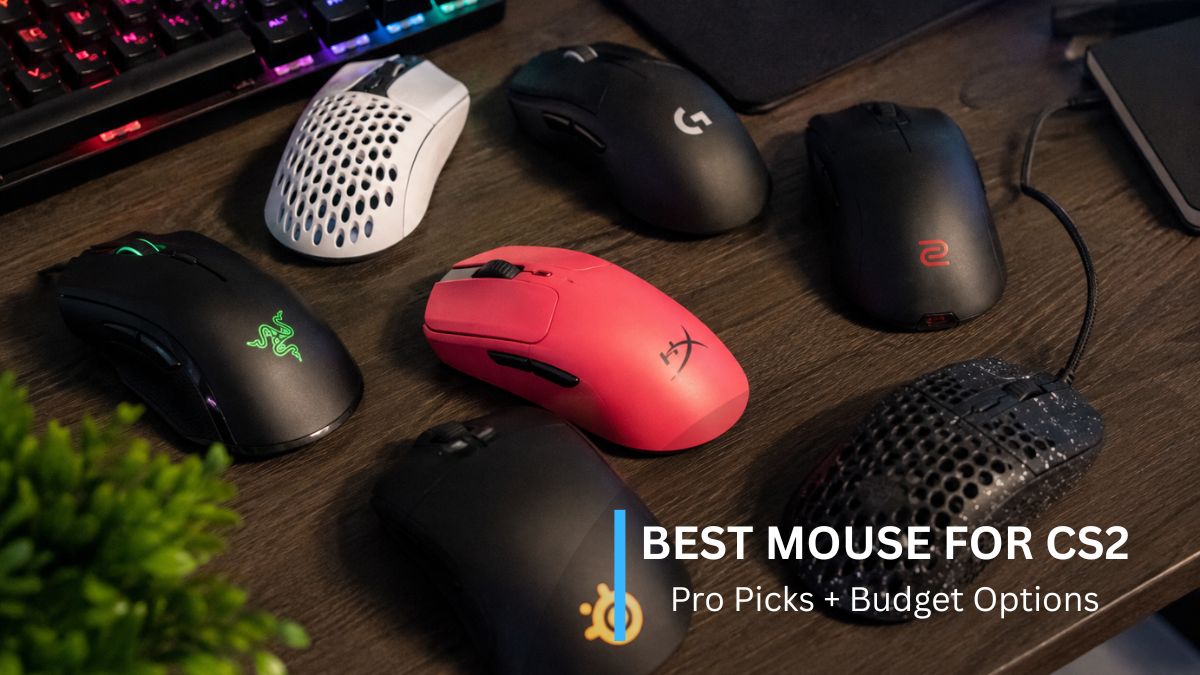

In CS2, your mouse is the most personal piece of gear you own. One missed flick on a retake, one drag-scoped AWP shot that lands a pixel wide – at every skill level. The difference often comes down to whether your mouse feels like an extension of your hand or a piece of plastic you’re fighting against.
This guide ranks the best CS2 mice by category, not by a copy-paste top 10. Our picks are based on what professional players actually use – drawing on ProSettings’ tracking of 900+ pro CS2 players. Combined with hands-on impressions and photos from competitive players in the CPSTest community who own these mice. And because most “best CS2 mouse” lists only feature $150+ mice, we’ve included two budget picks that deliver where it counts. A great mouse won’t aim for you – but the wrong one will absolutely get in your way.
| Category | Mouse | Weight | Verdict in one line |
| 🏆 Best overall | Logitech G Pro X Superlight 2 | 59g | The safe shape that fits almost everyone — #1 among pros |
| Best ergonomic | Razer DeathAdder V4 Pro | 56g | The most refined right-handed mouse money can buy |
| Best ambidextrous | Razer Viper V3 Pro | 54g | Cutting-edge specs in a shape most hands like |
| Most innovative | Logitech G Pro X2 SUPERSTRIKE | 61g | Adjustable click actuation — genuinely new tech |
| Best classic shape | ZOWIE EC2-CW | 77g | The legendary EC shape, finally wireless |
| Enthusiast pick | VAXEE XE V2 Wireless | 59g | Built by CS obsessives, for CS obsessives |
| Best budget | Razer Viper V3 HyperSpeed | 82g | 80% of the Viper V3 Pro at half the price |
| Best cheap | Logitech G305 | 99g | The proven starter mouse — still worth it |
How We Chose These Mice
No lab, no sponsorships, no filler here’s what our rankings are built on.
- Pro adoption: if hundreds of professional players trust a mouse with their careers, that’s stronger evidence than any spec sheet.
- Community hands-on: players in our community own most of the mice on this list; their photos and long-term impressions appear throughout this guide.
- Shape accessibility: we favor mice that work across grip styles and hand sizes over specialist shapes.
- Price-to-performance: a mouse only earns its slot if it justifies its price tier. Where we haven’t personally used a mouse, we say so.
What Actually Matters in a CS2 Mouse
Before the reviews, five minutes here will save you from the most expensive mistake in gaming gear: buying a mouse for its spec sheet instead of your hand.
Shape Is King
Ask any pro what matters most in a mouse and you’ll get the same answer: shape. A mouse with a perfect sensor but the wrong shape for your hand will always lose to a “worse” mouse that fits. That’s why the Superlight — hardly the most advanced mouse on this list — remains the most-used mouse in professional CS2: its deliberately neutral shape works for almost everyone.
Mice come in two basic families. Ergonomic shapes (DeathAdder, ZOWIE EC) are sculpted for right-handed use, with a thumb groove and a supportive hump. Usually the comfortable choice for larger hands and palm grips. Ambidextrous shapes (Superlight, Viper) are symmetrical and lower-profile – typically better for claw and fingertip grips. Neither is “better for CS2.” The one that disappears in your hand is the right one.
Your Grip Style Decides Your Shape
There are three basic grips:
- Palm (whole hand rests on the mouse – comfort and stability, favors larger ergo shapes)
- Claw (palm touches the back, fingers arched – faster clicks, favors shorter humps)
- Fingertip (only fingertips touch – maximum micro-adjustment, favors small, light, flat mice).
Most players are a hybrid of two, and that’s fine.
If you don’t know your grip, look at your hand right now while you move your mouse — it’s already telling you. For the full breakdown of each style’s strengths, see our mouse grip styles guide.
Weight: Why Sub-65g Took Over
Five years ago, 80g was considered light. Today, nearly every serious CS2 mouse weighs 54–62g. The reason is simple physics: CS2 pros play at low sensitivity and make large, fast arm movements — hundreds of them per match. A lighter mouse means less inertia on every swipe, less fatigue, and faster direction changes on flicks.
But note the exception on our own list: the ZOWIE EC2-CW weighs 77g and dozens of pros still use it, because its shape fits them perfectly. Weight matters; shape matters more. Chase grams only after you’ve found your shape.
The Specs That Are Mostly Marketing
Modern mouse boxes advertise numbers that no CS2 player will ever use:
DPI: Flagship sensors now boast 35,000–45,000 DPI. Pro CS2 players overwhelmingly use 400 or 800. High DPI ceilings are a sensor benchmark, not a feature you’ll touch. Any mouse on this list has more DPI headroom than you will ever need. What actually matters is sensor consistency, and every sensor here (HERO 2, Focus Pro, PAW3950) is flawless in practice. After you buy, check what your mouse actually delivers with our Mouse DPI Analyzer – budget sensors sometimes miss their advertised numbers; the ones on this list don’t.
Polling rate: 1000Hz has been the standard for a decade and remains completely competitive. The new 8000Hz mice reduce input latency by fractions of a millisecond — measurable in a lab, marginal in a match, and it costs battery life. Nice to have, never a reason to pick one mouse over another.
What CS2 Doesn’t Need
CS2 is the purest FPS in esports: you, your rifle, and four grenades. No abilities, no ultimates, no item wheels. That means 12-button MMO side panels, macro software, adjustable weights, and RGB lighting add exactly nothing to your gameplay. RGB actually costs battery on wireless mice. Two side buttons for jump-throws and switching to your knife is all any CS2 player needs, and every mouse on this list has them. If a mouse is selling you features beyond that, you’re paying for things Counter-Strike will never ask of you.
Best Overall: Logitech G Pro X Superlight 2
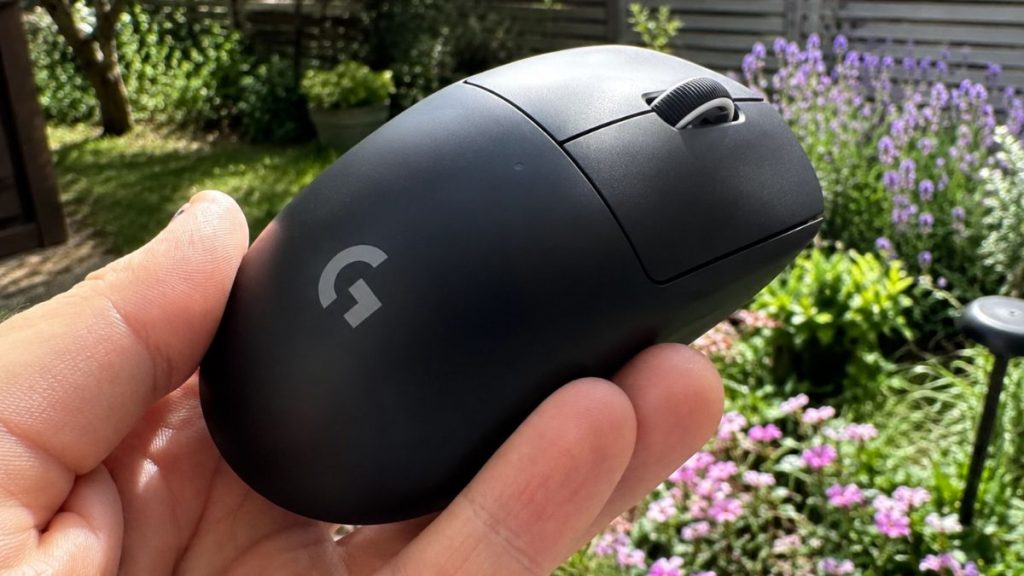
Who it’s for: Anyone who doesn’t know exactly what shape they want – which is most players.
The Superlight 2 is the most-used mouse in professional CS2, and the reason is almost boring: Logitech designed a shape with no strong opinions. No aggressive hump, no sculpted grooves, nothing that demands a specific grip. Palm, claw, hybrid, small hands, large hands. It accommodates nearly everyone, which is exactly why players like s1mple, m0NESY, and donk trust it in title matches.
For CS2 specifically, that neutrality is the feature. At 59g with Logitech’s wireless implementation. Which has been genuinely flawless for years. It does nothing to interrupt the thousands of micro-corrections your aim makes per match. The Superlight 2 upgraded the original’s two most-complained-about parts: USB-C replaced Micro-USB, and hybrid optical switches replaced mechanical ones.
The honest cons: the clicks are heavier than the original Superlight’s, which some players dislike, and you’re paying flagship price for a shape you can almost get in the original at a discount. It’s also, by design, nobody’s perfect mouse – specialist shapes fit specific grips better. Everyone’s a very good mouse.
💰 Save money: The original Superlight (61g) has the identical shape with Micro-USB, mechanical switches, and 1000Hz-only polling. As we covered above, 1000Hz is completely competitive — if you find it well below the Superlight 2’s price, it remains one of the smartest buys in gaming. 69 pros still use it.
| Spec | Superlight 2 |
| Weight | 59g |
| Shape | Ambidextrous |
| Sensor | HERO 25K |
| Polling rate | Up to 8000Hz |
| Connection | Wireless |
Pros: Fits almost every hand and grip · Flawless wireless · Great battery · USB-C and optical switches fix the original’s flaws
Cons: Heavier clicks than the original · Premium price · Specialist shapes beat it for specific grips.
Best Ergonomic: Razer DeathAdder V4 Pro
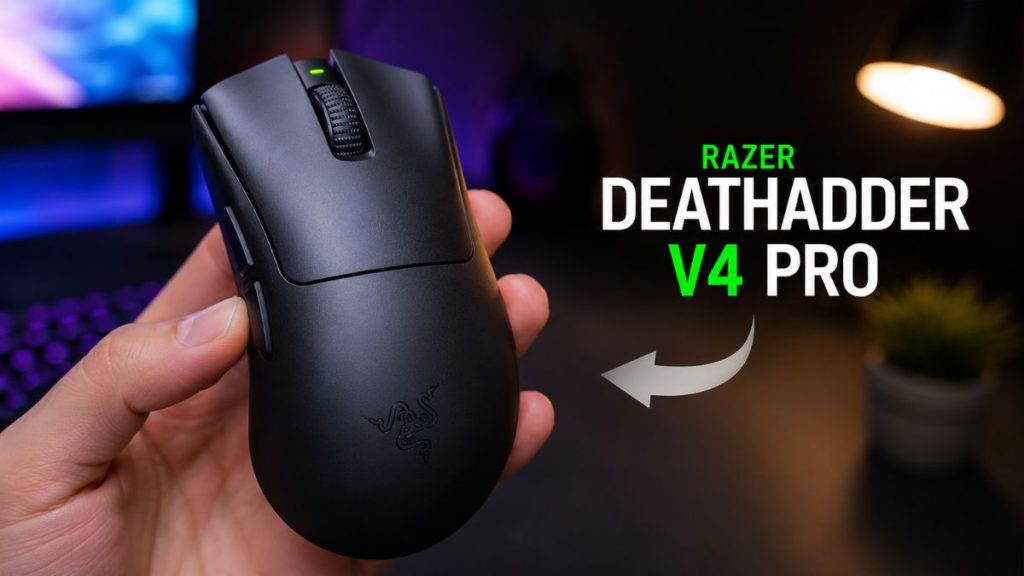
Who it’s for: Right-handed players with medium-to-large hands who palm or hybrid-grip their mouse.
The DeathAdder is the oldest famous name in gaming mice, but the modern version shares only the name — since the V3. Razer reshaped it to be shorter and boxier, closer to the ZOWIE EC school of design. The V4 Pro is the most refined ergonomic mouse on the market right now: 56g (remarkably light for a full ergo shape), Razer’s Focus Pro 45K sensor, Gen-4 optical switches, and outstanding battery life. NiKo – one of the best riflers in CS2 history – plays on it, alongside over a hundred other pros.
For CS2, the ergo case is simple: if your grip is palm-heavy, a sculpted shape supports your hand through long sessions in a way symmetrical mice can’t, and the V4 Pro delivers that support with flagship-tier tech that the classic ergo alternatives (ZOWIE, VAXEE) don’t match on paper.
The honest cons: it’s one of the most expensive mice you can buy, full stop. The clicks are on the loud side. And if you claw or fingertip grip, this shape is actively working against you. Buy the Viper or Superlight instead.
💰 Save money: The DeathAdder V3 Pro (63g) is the same design language one generation back. Slightly heavier, older switches, and 4000Hz needs a separate dongle. It started the modern DeathAdder era and 31 pros haven’t seen a reason to upgrade. At a proper discount, neither might you.
| Spec | DeathAdder V4 Pro |
| Weight | 56g |
| Shape | Ergonomic (right-handed) |
| Sensor | Focus Pro 45K |
| Polling rate | Up to 8000Hz |
| Connection | Wireless |
Pros: Best-in-class ergo shape with flagship tech · Impressively light for its size · Excellent battery · Great build.
Cons: Extremely expensive · Loud clicks · Wrong choice for claw/fingertip grips.
Best Ambidextrous: Razer Viper V3 Pro
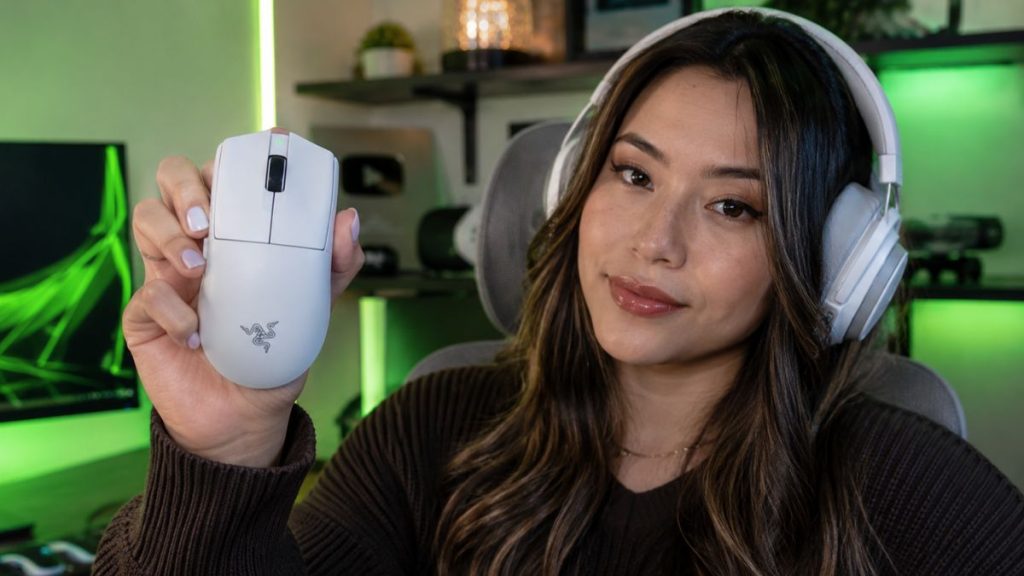
Who it’s for: Claw and fingertip grippers, and anyone who found older Vipers too flat.
The Viper V3 Pro was being used on pro stages before Razer even officially announced it. Which tells you who this mouse was built for. The V3 redesign is the story here: Razer abandoned the long, flat shape of the Viper V2 for a more compact body with a fuller back hump. The result is a “safer” shape that works for far more hands, and the pro scene responded – nearly 90 CS2 professionals now play on it.
At 54g it’s the lightest mouse on this list, with Razer’s Focus Pro 35K sensor and true 8000Hz wireless polling out of the box. One genuinely smart touch: you can set the high polling rate to activate only in-game, saving battery the rest of the time. For CS2, this is what a modern ambidextrous flagship looks like – cutting-edge everything, in a shape that stays out of your way.
The honest cons: it’s premium-priced, the side buttons feel slightly mushy for the money, and palm grippers with large hands will run out of mouse to hold onto – that’s what the DeathAdder is for.
💰 Save money: The Viper V3 HyperSpeed shares the V3 shape at a fraction of the price. It’s our Best Budget pick, reviewed below.
| Spec | Viper V3 Pro |
| Weight | 54g |
| Shape | Ambidextrous |
| Sensor | Focus Pro 35K Gen-2 |
| Polling rate | 8000Hz |
| Connection | Wireless |
Pros: Lightest on this list · 8KHz wireless out of the box · Safer shape than previous Vipers · Smart battery management.
Cons: Premium price · Mushy side buttons · Too small for large-hand palm grip.
Most Innovative: Logitech G Pro X2 SUPERSTRIKE
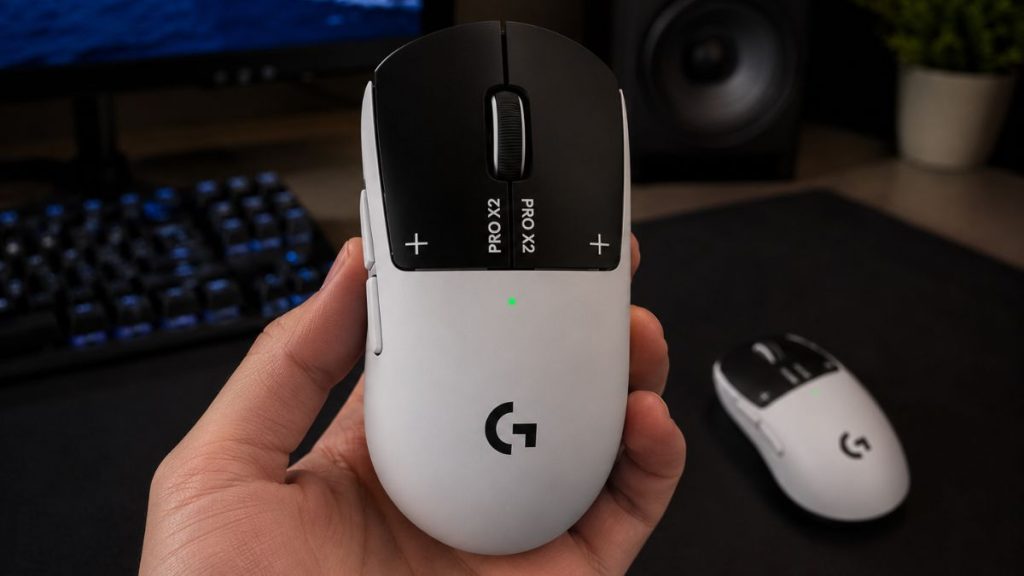
Who it’s for: Players who want the newest click technology in the most trusted shape in esports.
The SUPERSTRIKE is the first genuinely new idea in gaming mice in years. Its HITS system (Haptic Inductive Trigger System) replaces physical switches under the main buttons with adjustable inductive triggers. Meaning you can customize how far you press before a click register. Tune the haptic feedback per button, and even use Rapid Trigger-style actuation, borrowed from the analog keyboards pros already use for counter-strafing.
What does that mean in CS2 terms? Lighter, earlier actuation for faster tap-fire and reaction duels – or heavier, deliberate clicks if you tend to misfire on hold-angles. No other mouse lets you choose. Wrapped around that tech is the exact same shape as the Superlight 2, Logitech’s 8000Hz wireless, the HERO 2 sensor, and excellent battery life. Pros like device, sh1ro, and w0nderful have already switched — 83 players and climbing, remarkable for a mouse this new.
The honest cons: this is the most expensive mouse on this list by a distance, the mouse feet are reportedly scratchier than the Superlight’s, and the side buttons don’t match the main clicks’ quality. And to be clear: adjustable actuation is a genuine edge at high level, but it will not fix silver aim. Buy this because you’re curious about the future of mice, not because you expect it to rank you up.
| Spec | G Pro X2 SUPERSTRIKE |
| Weight | 61g |
| Shape | Ambidextrous |
| Sensor | HERO 2 |
| Polling rate | Up to 8000Hz |
| Switches | HITS (adjustable actuation) |
Pros: Adjustable click actuation is genuinely new · Trusted Superlight shape · Flawless wireless and sensor · Great battery.
Cons: Ultra-premium price · Scratchy stock feet · Side buttons lag behind main clicks.
Best Classic Shape: ZOWIE EC2-CW
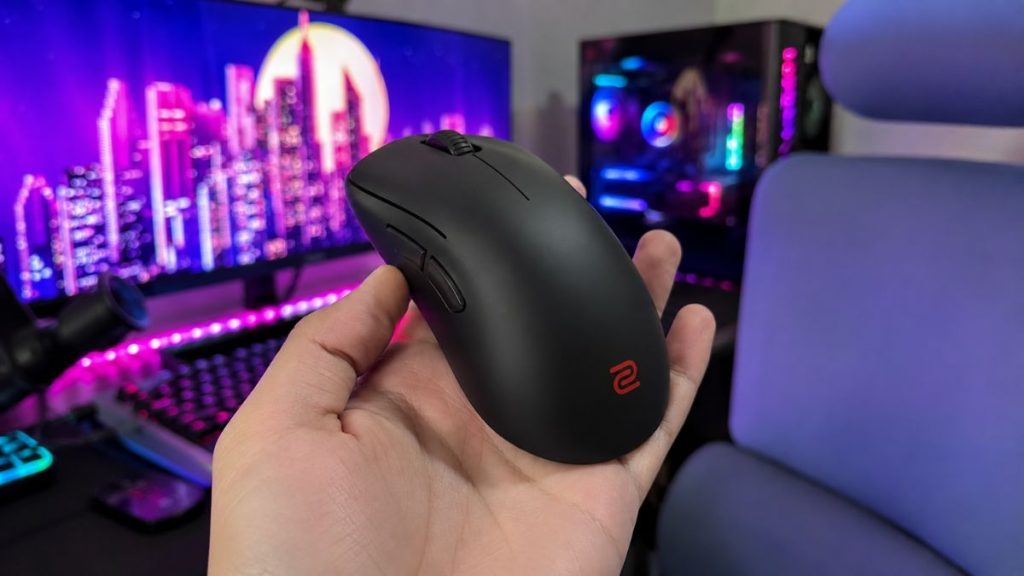
Who it’s for: Players who want the most proven ergonomic shape in Counter-Strike history and don’t care about spec sheets.
The ZOWIE EC is the shape every modern ergo mouse gets measured against. It has been in professional Counter-Strike since the 1.6 era, and the DeathAdder’s own redesign moved toward it. There are no aggressive curves, no sudden dents. Just a flowing right-handed shape that accommodates palm, claw, and everything between. The EC2-CW finally brought it wireless, with a receiver that doubles as a charging dock.
Everything about ZOWIE is function-first, built for LAN reliability: no software needed, driverless DPI and polling adjustments, plug and play anywhere. That philosophy made ZOWIE the tournament standard for a decade, and players like Brollan still trust the EC today.
The honest cons: the spec sheet is genuinely dated – a 77g weight in a sub-60g era, an older (though flawless) sensor, 1000Hz max polling, and a loud scroll wheel, at a price that hasn’t noticed any of this. You are paying for the shape and the reliability, not the tech. As we said in the weight section: shape beats grams – but only if this shape fits you.
💰 Worth knowing: The newer EC2-DW iterates on the CW with meaningful upgrades (better sensor, 4KHz support, lighter). If both are available to you at similar prices, buy the DW; it’s the better mouse. The CW earns its slot here on price drops and availability.
| Spec | ZOWIE EC2-CW |
| Weight | 77g |
| Shape | Ergonomic (right-handed) |
| Sensor | PMW 3370 |
| Polling rate | Up to 1000Hz |
| Connection | Wireless (charging dock included) |
Pros: The most proven ergo shape in CS history · Superb build · No software needed, pure plug and play · Dock included
Cons: Heavy by modern standards · Dated sensor and 1000Hz cap · Loud scroll wheel · Poor spec-per-dollar
Enthusiast Pick: VAXEE XE V2 Wireless
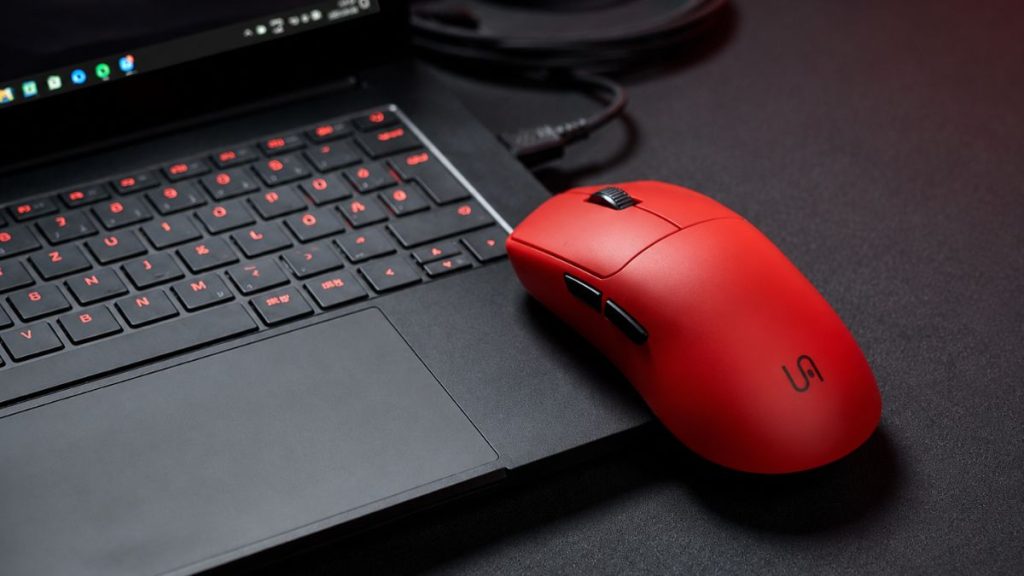
Who it’s for: Serious Counter-Strike players who treat mouse choice like pros do — and who’ve already tried the mainstream options.
VAXEE was founded by people from the original ZOWIE team, and it shows: the company exists almost exclusively to serve tactical shooter players. No RGB, no macro software, no gamer marketing. Just obsessively refined shapes, a clean web-based settings page instead of installed software, and small iterative improvements with every release. Mice are sold only through their own site, which keeps them slightly out of mainstream reach and very much in “if you know, you know” territory.
The XE V2 is their ambidextrous flagship: a modest, gradual hump with no grip-fighting curves, the excellent PAW3950 sensor, up to 4000Hz polling, and 59g. It feels engineered specifically for Counter-Strike because it effectively was and pros like mezii play on it.
The honest cons: it’s expensive, especially in the EU; battery life trails the Logitech/Razer flagships; replacement feet aren’t included at a price where they should be; and buying means ordering direct from VAXEE no Amazon returns a safety net. This is a mouse you buy on conviction, which is exactly why it’s the enthusiast pick and not the default one.
| Spec | VAXEE XE V2 Wireless |
| Weight | 59g |
| Shape | Ambidextrous |
| Sensor | PAW3950 |
| Polling rate | Up to 4000Hz |
| Connection | Wireless |
Pros: Superb CS-focused shape · Excellent build · Clean web-based driver, no software install · Great gaming performance.
Cons: Expensive (worst in EU) · Mediocre battery · No spare feet in box · Direct-order only.
Best Budget: Razer Viper V3 HyperSpeed
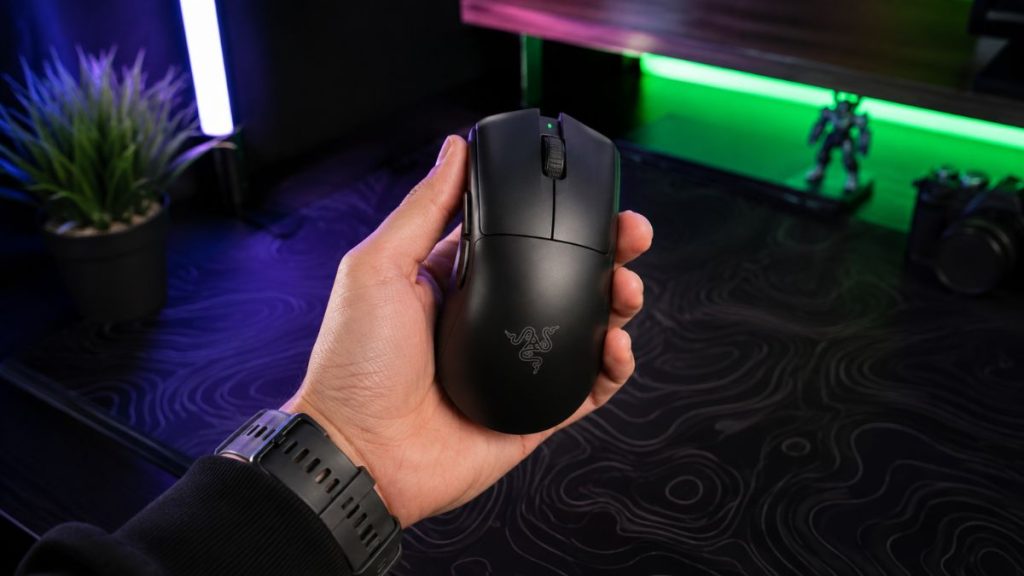
Who it’s for: Players who want the flagship Viper V3 shape without the flagship price. Which should be most non-professional players reading this.
Here’s the quiet truth of this entire guide: the single most important thing about the $150+ Viper V3 Pro is its shape, and the HyperSpeed has the same one. Same compact ambidextrous design, same palm-filling hump, same “safe for almost every grip” character. When we said shape is king, this is where that logic pays off – the king costs half as much.
What do you give up? The HyperSpeed runs on a AA battery instead of a built-in rechargeable, which pushes weight to 82g. The real difference you’ll feel coming from a sub-60g mouse, though players upgrading from an office mouse won’t notice. The sensor is a step down on paper (Focus X 26K vs the Pro’s 35K) but, as covered in the specs section, both are far beyond flawless at 400–800 DPI. Switches are mechanical rather than optical, and reaching 8000Hz polling requires Razer’s HyperPolling dongle sold separately skip it; 1000Hz is competitive, and buying a budget mouse then accessorizing it into premium pricing defeats the point.
The honest cons: the 82g weight is genuinely felt in long flick-heavy sessions, the AA battery adds a slight rear weight bias some players notice, and the coating is a tier below the Pro’s. None of these affect whether your crosshair lands where you intend.
One more thing worth saying plainly: a player with this mouse and 30 minutes of daily aim practice will beat a player with the SUPERSTRIKE and none. If your budget is genuinely tight, this mouse plus our [aim practice games guide] is the strongest value combination on this page.
| Spec | Viper V3 HyperSpeed |
| Weight | 82g (with AA battery) |
| Shape | Ambidextrous (same as V3 Pro) |
| Sensor | Focus X 26K |
| Polling rate | 1000Hz (8K via optional dongle) |
| Connection | Wireless |
Pros: Flagship V3 shape at a mid-tier price · Flawless-in-practice sensor · Months of battery from one AA · Safe shape for nearly all grips.
Cons: 82g is heavy by 2026 standards · Rear weight bias from the battery · Cheaper coating · 8K polling costs extra.
Best Cheap: Logitech G305
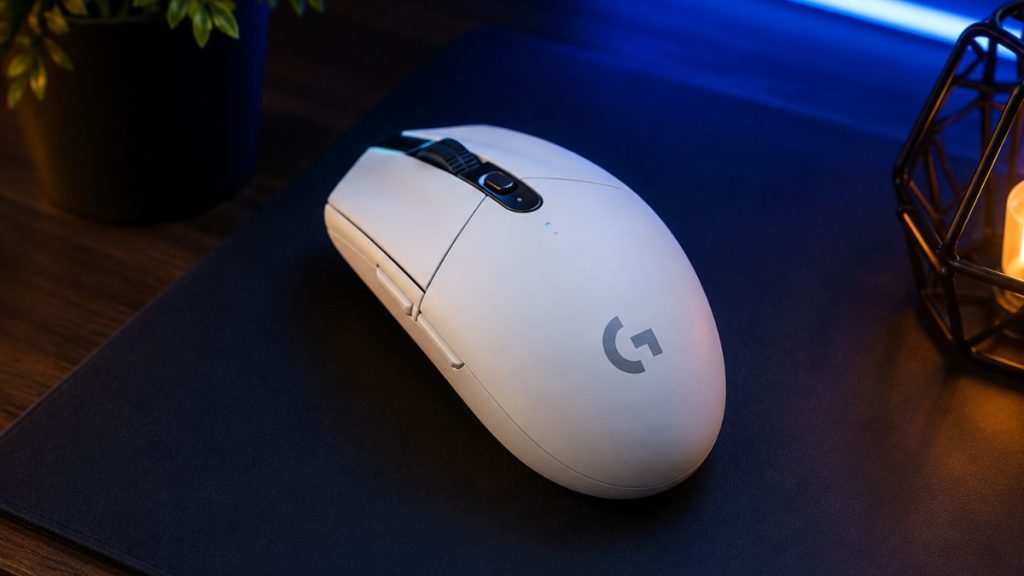
Who it’s for: First serious mouse. Students, younger players, anyone stepping up from a bundled office mouse without asking their wallet’s permission.
The G305 has been the default recommendation for entry-level wireless gaming for the better part of a decade, and nothing at its price has convincingly dethroned it. You get Logitech’s HERO sensor. The same sensor family that powered the original Superlight — genuinely reliable LIGHTSPEED wireless, and switches rated for tens of millions of clicks. In a small, simple ambidextrous shell. It is, in the most literal sense, the proven option: millions sold, and the failure stories are rare enough to be newsworthy.
For CS2, the honest framing is this: the G305 will never be the reason you lose a duel. Its sensor tracks flicks at any sensitivity a human uses, its latency is indistinguishable from mice five times its price, and its small shape suits claw and fingertip grips well — and smaller hands especially, which makes it a genuinely good first mouse for younger players.
The honest cons: at 99g with its AA battery it’s the heaviest mouse on this list by a wide margin, and there’s no getting around that – big low-sens swipes carry noticeably more inertia. The shape is small enough that large-handed palm grippers should look elsewhere. There’s no Bluetooth fallback, the cable-free convenience ends if you lose the tiny USB receiver, and the plastic feels its price. It’s also simply old but old and proven is precisely the appeal at this tier.
Upgrade path, honestly stated: buy the G305 now, learn your grip style and sensitivity with it, and when it eventually dies or your budget grows, you’ll know exactly which premium shape fits you. That knowledge is worth more than any spec on this page.
| Spec | Logitech G305 |
| Weight | 99g (with AA battery) |
| Shape | Ambidextrous (small) |
| Sensor | HERO |
| Polling rate | 1000Hz |
| Connection | Wireless (LIGHTSPEED) |
Pros: Proven reliability at the lowest price on this list · Flawless-in-practice sensor · Great for small hands and claw/fingertip grips · Months per AA battery.
Cons: 99g – heaviest here by far · Too small for large-hand palm grip · Budget plastics · Easy-to-lose receiver.
Which Mouse Should You Pick?
If you’ve read this far and still aren’t sure, answer two questions: how big is your hand, and how do you grip? Measure from the base of your palm to the tip of your middle finger under 17cm is small, 17–19cm is medium, over 19cm is large. Then find your row:
| Your hand | Palm grip | Claw grip | Fingertip grip |
| Small (<17cm) | Viper V3 Pro / HyperSpeed | G305 or Viper V3 Pro | G305 |
| Medium (17–19cm) | DeathAdder V4 Pro or ZOWIE EC2 | Superlight 2 or Viper V3 Pro | Viper V3 Pro |
| Large (>19cm) | DeathAdder V4 Pro or ZOWIE EC2 | Superlight 2 | Superlight 2 or XE V2 |
On a budget? Same logic, two options: Viper V3 HyperSpeed if you’re medium/large or palm-lean, G305 if you’re small-handed or claw/fingertip. That’s the entire budget decision.
Still torn between two? Pick the safer shape — Superlight 2 or Viper V3 — because a neutral shape you’re 90% sure about beats a specialist shape you’re 60% sure about. Shape regret is the only expensive mistake on this page; every sensor here is beyond reproach.
And the advice that outranks everything in this table: if your current mouse already fits your hand and tracks cleanly, the highest-ROI upgrade isn’t a new mouse — it’s practice. A consistent 400–800 DPI setup, acceleration off ([our guide on that](link to mouse speed article)), and daily aim training will move your rank more than any purchase. Buy a mouse to remove a problem, not to buy skill.
After You Buy: Test Your New Mouse
A new mouse isn’t done when it arrives – it’s done when you’ve verified it works as advertised and dialed it into your hand. Three checks, ten minutes total:
Step 1 – Verify your real DPI. Set your DPI in your mouse software (or via the DPI button), then measure what the sensor actually delivers with our [Mouse DPI Analyzer]. Every mouse on this list will pass. But this step matters because it confirms your setting took effect, catches a mis-programmed profile, and gives you your true baseline before you build muscle memory on it. If you’re transferring from an old mouse, matching your effective sensitivity (DPI × in-game sens) exactly is how you keep your aim through the switch.
Step 2 – Check every input. Run our [Mouse Test] and hit each button, both scroll directions, and move through the full tracking area. You’re looking for double-clicks registering on single presses, dead zones, or scroll skips. The defects that show up in the first week if they’re going to show up at all. Finding one on day three instead of month three is the difference between a painless replacement and arguing warranty.
Step 3 – Benchmark your clicks. Take the CPS Test with your old settings fresh in memory, then again after a few days on the new mouse. Optical switches, lighter clicks, and a shape that fits change your click speed measurably and a before/after number tells you whether the upgrade is actually reaching your hands. Spoiler from our community players: the mouse matters, but day-ten scores beat day-one scores on every mouse. Practice compounds; hardware doesn’t.
Then give yourself a week. As we said in our mouse speed guide, any new shape or setting feels wrong for the first few days while muscle memory recalibrates — judge the mouse after seven days, not seven minutes.
FAQs
What mouse does donk use?
As of the latest pro tracking, donk plays on the Logitech G Pro X Superlight 2 — the same mouse we rated best overall. Pros switch gear often though, so check ProSettings’ donk page for his current setup before copying it.
What DPI do CS2 pros use?
Overwhelmingly 400 or 800 DPI, paired with low in-game sensitivity and large mousepad movements. What matters is your effective sensitivity (DPI × in-game sens) staying consistent, not the DPI number itself. You can verify your mouse’s true DPI with our Mouse DPI Analyzer tool.
Is 8000Hz polling worth it for CS2?
It’s a marginal gain — a fraction of a millisecond in input latency that lab equipment can measure but few players can feel, at a cost to battery life. 1000Hz remains fully competitive at every level. Treat 8K polling as a bonus feature, never a buying reason.
Are wireless mice good enough for competitive CS2?
Yes. Modern wireless from Logitech, Razer, ZOWIE, and VAXEE is indistinguishable from wired in latency, and the pro scene proves it: nearly every mouse in the top usage rankings is wireless. The only remaining argument for wired is price.
Is an expensive mouse worth it for CS2?
Only if it fixes a real problem – wrong shape, excessive weight, or hardware defects. If your current mouse fits your hand and tracks cleanly, aim practice will improve your rank more than any upgrade. When you do buy, spend your money on shape fit first; that’s the only thing a budget mouse can’t give you.
Conclusion
Every mouse on this list has a flawless sensor, competitive latency, and build quality that won’t fail you mid-match. Which means the real decision is shape, and only your hand can make it. Use the grip and hand-size matrix above, pick the safest shape you’re confident in, and give it a full week before judging. Then do the thing the mouse can’t do for you: put in the rounds. When you want to see the difference your new setup makes, our Mouse Test and CPS Test are the quickest scoreboard you’ll find.